
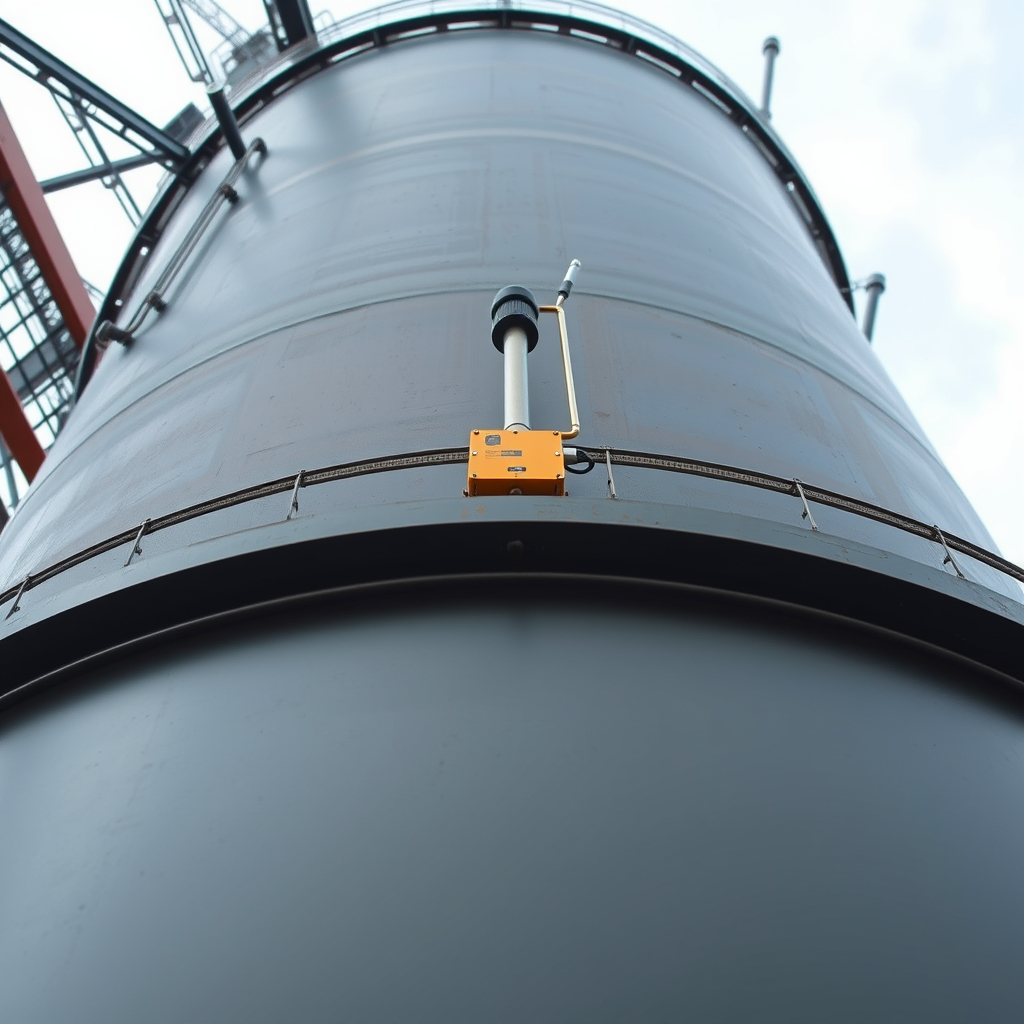
Solution guide
More information for your application
Open a section for the information you need. Product pages show the selected configuration and current purchasing details.
Equipment selection and alternatives
Choose your tank monitoring package
Request a wired level instrument for an existing controller, a direct-cellular monitoring package where supported network coverage is available, or a LoRaWAN sensor and compatible gateway for multiple assets. Sensor selection depends on tank geometry, liquid, mounting and required measurement range.
Start with the tank and measurement
Define whether you need distance, liquid level, calculated volume, pressure, pump status or an alarm. Provide tank dimensions and geometry, full/empty levels, mounting position, liquid, foam or vapour, obstructions, operating temperature and pressure. Level and volume are different values; a volume calculation requires the correct tank geometry or calibration table.
Select the sensing principle
Compare non-contact radar or ultrasonic distance sensing with compatible hydrostatic pressure measurement and independent point-level switches. Check blind zones, mounting, venting, density effects, wetted materials and fouling for the exact model. A sensor selected for water is not automatically suitable for fuel, chemicals or hazardous areas.
Equipment options for this application
Twin water tank kit: Explore equipment for two tank locations. View options and current price.
Underwater level logging: Local recording for later field download. View options and current price.
System design and connections
System overview
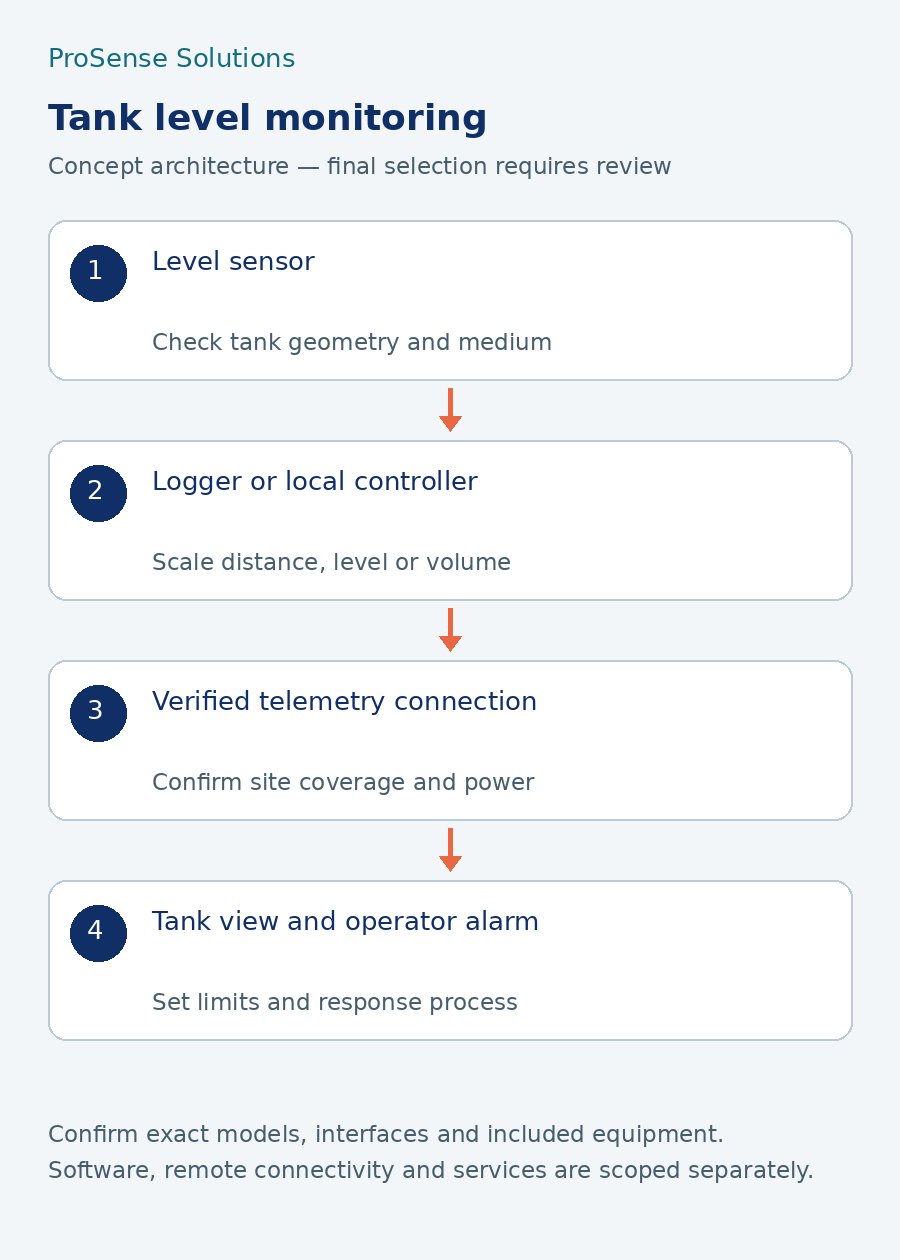
Plan tank level, distance, volume and pump-status monitoring around the tank and site conditions.
Example system architecture
Tank sensor → compatible analogue, pulse or digital logger/node → site gateway or supported cellular network → monitoring platform → operator review and alerts. Direct cellular and LoRaWAN devices have different gateway and network requirements. Confirm the actual model and supported regional network.
Pump monitoring and control
A pump run contact or current sensor can provide status; it does not establish delivered flow. Automatic pump control requires a separately designed local controller, interfaces, permissives and defined behaviour on power, sensor or communications failure. Retain required local protection and independent safeguards.
Dashboards and software options
ProSight dashboard capabilities for this application
Illustrative monitoring scope: the selected package, supported devices and quoted configuration determine the available features.
What operators can see
Show tank level beside recent trends and last-received data. Where appropriate signals are available, add pump status and flow readings. Tank volume requires the correct geometry and scaling.
How the equipment connects
Choose the level sensor and local interface first. A supported gateway can carry data over the available site connection. Confirm coverage, power, reporting interval and behaviour when communications are lost.
Package starting point
Compare Standard for a small site, Silver for multiple monitoring zones, and Gold or Custom when an engineered PLC or SCADA connection is required.
Compare ProSight packages and animated overview →
Quotation, installation and support
What your quotation will identify
Sensor model and range, cable or antenna, mounting, logger or gateway where required, power supply and enclosure, plus the monitoring licence and data service where selected. Any pump-control design, programming, installation or commissioning must have a separate agreed scope.
Get a tank monitoring quotation
Send tank dimensions and photos, liquid, full/empty levels, site postcode, sensor count, cable distances, power, signal coverage, alarm requirements and required date. Request hardware and recurring software/data charges as separate quotation lines.
Equipment schedule and options
List each tank and measurement point; exact sensor, range and connection; mounting; compatible logger/controller; gateway/antenna; enclosure and power; cables; data service; monitoring licence; and requested calibration records. Specify the selected kit's actual contents and quote all additions separately.
Prepare your enquiry
Send site postcode, tank drawings or photos, liquid, level range, distance to the network/power source, number of assets, update interval, required alarms, existing pump/controller details, required date and budget range. Confirm installation, configuration and software responsibilities in writing.
Browse equipment and prepare a quotation
Use the product selector to choose the equipment family and features. Matching products appear below the controls. Confirm the exact model, options, published price and availability on the product page.
Open the product selection tool
Technical documents and manuals
Discuss your application / request a quote
Include your company, site/postcode, application, number of assets, measurements and ranges, existing equipment, power and communications, budget range, required date and supporting drawings. The quotation should identify equipment, quantities, accessories, documentation, any configuration, installation responsibilities, software term and recurring charges.
Equipment supply and project work have separate scopes. Installation and commissioning are not included in equipment supply. Any requested configuration, integration or software work must be confirmed in writing. Verify model-specific claims and required documentation before ordering.