.png)
BACnet and LoRaWAN Integration Made Simple with Prosight Software
BACnet is one of the main reasons modern buildings can run as connected systems instead of isolated equipment rooms. It gives building automation devices a common language, so heating, ventilation, air conditioning, lighting, metering, access control, and monitoring platforms can exchange data in a predictable way.
That becomes especially useful when buildings start adding wireless sensors. LoRaWAN networks are a practical fit for long-range, low-power devices, such as temperature sensors, humidity sensors, occupancy counters, leak detectors, and energy monitoring nodes. The challenge is that many building management systems still expect data through BACnet.
That is where integration matters. A LoRaWAN sensor may detect a room temperature, but the BMS needs to see that value as a BACnet object. Prosight Software helps make that bridge simpler by translating LoRaWAN device data into BACnet points that automation systems can read and use.
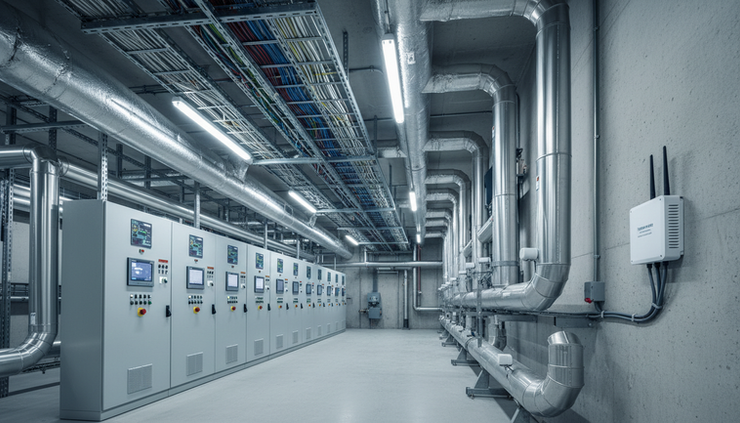
BACnet gives building systems a shared language
BACnet stands for Building Automation and Control network. It is a communication protocol designed for building automation and control systems. The protocol is maintained by ASHRAE and is widely used across commercial buildings, schools, hospitals, industrial sites, campuses, and public facilities.
The main purpose of BACnet is interoperability. A chiller from one manufacturer, a controller from another, and a building management system from a third can all share data if they support BACnet correctly.
In practical terms, BACnet lets systems exchange information such as:
Temperature readings
Fan status
Valve positions
Alarm states
Energy meter data
Occupancy values
Runtime counters
Equipment schedules
Control commands
BACnet is important because buildings rarely use one vendor for everything. A BMS may need to read values from plant equipment, control field devices, log alarms, trend data, and display all of it through a single user interface. Without a common protocol, each integration becomes a custom job.
BACnet supports several network types, but modern integrations commonly use BACnet/IP over Ethernet or IP networks. That makes it a natural fit for software-based bridges that expose data from other systems, including LoRaWAN.
BACnet services define what devices can do
BACnet is more than a list of point names. It defines services that describe how devices discover each other, read data, write values, handle alarms, and manage files or schedules.
The core BACnet service categories are usually grouped by function.
BACnet service category | What it does | Common example |
Object access services | Read and write object properties | A BMS reads the `presentValue` of a temperature sensor |
Device and network management services | Discover devices and manage communication | A workstation sends a `Who-Is` request and receives an `I-Am` response |
Alarm and event services | Report changes, alarms, and event conditions | A high temperature alarm appears in the BMS |
File access services | Transfer files between BACnet devices | A controller shares a configuration or log file |
Remote device management services | Support remote control and diagnostics | A system restarts or backs up a device where supported |
Virtual terminal services | Provide terminal-style communication | Less common in modern front-end integrations |
The most common services used in a LoRaWAN to BACnet bridge are object access and device discovery.
For example, once a LoRaWAN temperature sensor sends an uplink, Prosight Software can make that value available as a BACnet object. A BMS can then discover the BACnet device and read the temperature object in the same way it would read a wired controller point.
That translation is what makes the integration useful. The wireless sensor remains a LoRaWAN node, but the building automation system sees clean BACnet data.
LoRaWAN adds long-range wireless sensing to buildings
LoRaWAN is a low-power wide-area networking technology. It is designed for devices that send small amounts of data over long distances while using very little battery power.
That makes it useful in buildings and facilities where running new cable is expensive or inconvenient. Examples include:
Heritage buildings with restrictions on new wiring
Large warehouses and logistics sites
Schools with detached buildings
Car parks and plant areas
Remote pump rooms
Roof spaces and ceiling voids
Temporary monitoring projects
Energy and environmental reporting
LoRaWAN is not meant for high-speed control loops or large data transfers. It is best for sensor readings, status updates, alarms, and periodic measurements.
A typical LoRaWAN setup has three main parts:
LoRaWAN node
A sensor or end device that collects data and transmits it wirelessly.
LoRaWAN gateway
A device that receives radio packets from nodes and forwards them to a network server.
LoRaWAN network server or application layer
The platform that manages devices, decodes payloads, and passes data to other systems.
Prosight Software sits in the integration layer. It receives or accesses the LoRaWAN data, maps it to BACnet objects, and presents it to BACnet clients such as a BMS, supervisory controller, or SCADA platform.

Supported products and basic requirements
A successful integration depends on the products involved and how data needs to move between them. In most projects, the supported product categories include LoRaWAN devices, a LoRaWAN gateway, software that can receive device data, and BACnet-capable building systems.
Supported product categories
Prosight Software can support a practical integration pattern with products such as:
LoRaWAN gateways
Gateways that can connect to the required network server or forward traffic to the integration platform.
LoRaWAN sensor nodes
Battery or mains-powered sensors that send payloads for temperature, humidity, CO₂, occupancy, water detection, pressure, metering, or status inputs.
LoRaWAN network servers
Platforms that register gateways and nodes, manage device sessions, and make uplink data available to applications.
BACnet/IP clients
Building management systems, supervisory controllers, engineering tools, or SCADA software that can discover and read BACnet/IP devices.
Prosight Software integration host
A server, virtual machine, industrial PC, or suitable hosted environment running the bridge service, depending on the project design.
The exact supported device list should always be checked against the device payload format, LoRaWAN network server, and BACnet requirements for the site.
What you need before you start
Before bridging LoRaWAN into BACnet, collect the following details:
LoRaWAN gateway model and network access details
LoRaWAN frequency plan for the region
Gateway ID or EUI
Node DevEUI, AppEUI or JoinEUI, and AppKey for OTAA devices
Payload decoder details for each node type
IP address and network settings for the Prosight Software host
BACnet device instance number
BACnet UDP port, commonly `47808`
BACnet network number, if used
List of BACnet objects to expose
BMS point naming standard
Firewall and routing requirements
In Australia, LoRaWAN deployments must use the correct regional parameters for the local radio band. The gateway, nodes, and network server settings need to match. If they do not, nodes may fail to join or uplinks may appear unreliable.
A simple bridge turns LoRaWAN data into BACnet objects
The basic idea is straightforward. LoRaWAN collects device data. Prosight Software interprets that data. BACnet exposes it in a form the BMS understands.
A clean bridge usually follows this path:
A LoRaWAN node measures a value.
The node sends an uplink to a LoRaWAN gateway.
The gateway forwards the packet to the network server.
The network server processes the device session and payload.
Prosight Software receives the decoded value or decodes it from the payload.
Prosight maps the value to a BACnet object.
The BMS reads the object over BACnet/IP.
The key is the mapping. A raw LoRaWAN payload is not useful to a building operator. A BACnet object with a clear name, unit, value, and status is useful.
For example, a wireless room sensor might become the following BACnet points:
LoRaWAN measurement | BACnet object type | Example object name |
Room temperature | Analog Input | `AI_Room_204_Temperature` |
Relative humidity | Analog Input | `AI_Room_204_Humidity` |
Battery level | Analog Input | `AI_Room_204_Battery` |
Occupancy state | Binary Input | `BI_Room_204_Occupancy` |
Device fault | Binary Input | `BI_Room_204_Fault` |
Good naming saves time later. Keep object names consistent, readable, and aligned with the BMS naming rules.
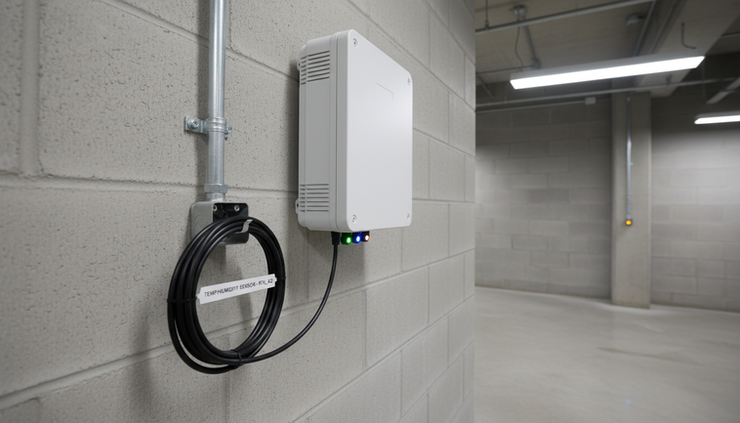
How to bridge a LoRaWAN network to a BACnet network
The process below describes a typical setup. Exact labels may vary by gateway, network server, and site configuration, but the sequence is the same.
1. Confirm the network design
Start with the data path.
Decide where each part will run:
LoRaWAN gateway on the building network, mobile backhaul, or separate IoT network
LoRaWAN network server hosted locally or in the cloud
Prosight Software on-premises, hosted, or in a managed environment
BACnet/IP access from the BMS network
Confirm whether the BMS can reach the Prosight BACnet service by IP. BACnet/IP discovery may also need broadcast routing or a BACnet Broadcast Management Device, known as BBMD, if devices sit across different IP subnets.
2. Register the LoRaWAN gateway
In the LoRaWAN network server, add the gateway first.
Typical gateway registration steps are:
Open the gateway registration page.
Enter the gateway EUI or gateway ID.
Select the correct frequency plan for the site.
Add a clear gateway name, such as `BuildingA_Roof_Gateway`.
Set the gateway connection method.
Save the gateway.
Configure the physical gateway to use the network server address.
Check the gateway status and confirm it appears online.
Once online, place the gateway where it gives reliable coverage. Avoid hiding it inside metal cabinets. In plant rooms, rooftops, and large facilities, antenna position often matters more than software settings.
3. Register the LoRaWAN node
After the gateway is online, add the sensor node.
For an OTAA device, common registration details include:
`DevEUI`
`JoinEUI` or `AppEUI`
`AppKey`
Device profile
Application name
Payload decoder or codec
A typical node registration workflow looks like this:
Create or open the application for the site.
Select add device or register node.
Enter the device identifiers exactly as supplied.
Choose the matching device profile.
Add the AppKey for secure joining.
Assign a practical name, such as `L2_Room204_TempHumidity`.
Select or attach the payload decoder.
Save the node.
Power or reset the device so it sends a join request.
10. Confirm join activity and uplink messages.
If the node does not join, check the frequency plan, keys, device profile, gateway coverage, and whether the device has already joined another network.
4. Confirm payload decoding
Before BACnet mapping starts, make sure the LoRaWAN data is readable.
A decoded payload should show clear fields such as:
`temperature`
`humidity`
`battery`
`occupancy`
`status`
`alarm`
Check the units. A payload may report temperature as degrees Celsius, a scaled integer, or a raw value that needs conversion. For example, a payload value of `235` may represent `23.5 °C` depending on the device codec.
Prosight Software should receive values in a consistent format. Clean data at this stage prevents confusing BACnet points later.
5. Connect Prosight Software to the LoRaWAN data source
Next, connect Prosight Software to the LoRaWAN application or data feed.
Common methods include:
API connection
MQTT subscription
Webhook delivery
Local network server integration
Use the method that best suits the site’s security and network design. MQTT is common for event-based sensor data because new uplinks can be passed through as they arrive.
In Prosight, create the data source, enter the required connection details, and test the incoming messages. The goal is to see live node data before creating BACnet objects.
6. Enable BACnet in Prosight Software
Once LoRaWAN data is arriving, enable the BACnet service.
Typical BACnet configuration includes:
Turning on BACnet/IP
Setting the BACnet device name
Assigning a unique BACnet device instance
Setting the BACnet UDP port
Choosing the network interface
Defining the BACnet network number where required
Enabling discovery responses for `Who-Is` requests
Setting BBMD details if the BMS is on another subnet
Use a device instance that does not conflict with existing BACnet devices. Duplicate BACnet device IDs can cause discovery and point-reading issues.
7. Configure BACnet objects
Now map each LoRaWAN value to a BACnet object.
For each object, configure:
Object type, such as Analog Input or Binary Input
Object instance number
Object name
Description
Present value source
Units
Reliability or fault behaviour
Update interval or stale data timeout
Out-of-service setting, if needed
Priority array settings for writable objects, if used
Most LoRaWAN sensor values should be read-only BACnet objects. That suits measurements such as temperature, humidity, battery level, and occupancy.
Writable BACnet objects need more care. LoRaWAN is not ideal for fast command and control because device downlinks are limited and may depend on device class and duty cycle rules. Use downlinks only where the device and application are designed for that behaviour.
8. Discover the Prosight BACnet device from the BMS
Open the BMS engineering tool and scan for BACnet devices.
The Prosight BACnet device should respond with its configured device name and instance. If it does not appear, check:
IP reachability between the BMS and Prosight host
BACnet UDP port access
Firewall rules
Subnet and broadcast behaviour
BBMD settings
Device instance conflicts
Once discovered, import or manually add the BACnet objects. Confirm values match the LoRaWAN data shown in Prosight.
9. Test live updates and alarms
A bridge is only useful if it behaves reliably during real operation.
Test the integration by changing real sensor conditions where practical. Warm a temperature sensor by hand, trigger an occupancy sensor, or simulate a contact input. Confirm the value changes in the LoRaWAN platform, then Prosight, then the BMS.
If alarm points are exposed, test normal, alarm, and return-to-normal states. Also check what happens when a node stops reporting. The BMS should not keep showing stale values without some indication of data age or reliability.

Prosight Software keeps the integration practical
The hard part of BACnet and LoRaWAN integration is not the theory. It is the small details that make a system maintainable.
Prosight Software helps by keeping the workflow focused on the real tasks:
Register gateways and nodes clearly
Receive LoRaWAN data in a usable format
Decode or normalise payload values
Map values to BACnet objects
Serve BACnet/IP data to the BMS
Keep object names and units consistent
Help identify stale data or communication faults
That matters during commissioning and later maintenance. If a sensor battery fails, a payload changes, or a new room sensor is added, the integration should not require a full rebuild.
A simple structure also helps teams scale from a small trial to a wider deployment. One gateway and a few sensors can prove the process. From there, more nodes can be added, grouped, and mapped to BACnet objects using the same method.
Common mistakes to avoid
Most problems come from mismatched settings or unclear mappings.
Watch for these issues:
Duplicate BACnet device instance numbers
Wrong LoRaWAN frequency plan
Incorrect DevEUI, JoinEUI, or AppKey
Missing payload decoder
Values exposed without units
BACnet object names that do not match site standards
Firewall rules blocking BACnet/IP
Assuming BACnet discovery works across subnets without BBMD planning
Treating low-power LoRaWAN sensors like wired real-time controllers
No stale data timeout for battery-powered nodes
The best approach is to test each layer separately. Confirm the gateway is online, then confirm the node joins, then confirm payload decoding, then confirm Prosight receives data, then confirm BACnet reads work.
A clear path from wireless sensing to building automation
BACnet remains central to building automation because it gives equipment, controllers, and management systems a shared way to communicate. LoRaWAN extends what buildings can measure by making wireless, low-power sensing practical across large or hard-to-wire spaces.
Prosight Software brings those two worlds together by turning LoRaWAN device data into BACnet objects that a BMS can discover, read, trend, and alarm. The result is a simpler path from sensor deployment to operational building data.
Start with one gateway, one node, and a small set of BACnet objects. Prove the data path end to end. Once the BMS reads live values correctly, the same pattern can support a much larger network of wireless building sensors.


