.png)
Remote Control vs Remote Monitoring: Engineering Safety for Command Access
A monitoring screen can show that a pump is overheating. A control button can stop the pump, change pressure, open a valve, or shut down a process. That difference is not small. It is the line between observing a system and changing the physical world.
Remote monitoring is often treated as a data problem. Can the system collect readings? Can people see alarms? Is the dashboard reliable? Remote control raises harder questions. Who is allowed to issue a command? What happens if the command is wrong? Can the system reject unsafe action? How does a person on site take over? What proof remains after the event?
When a system moves from viewing data to issuing commands, the engineering task changes. Connectivity is no longer enough. The design must handle permission, timing, human judgement, unsafe states, loss of communications, and deliberate misuse.

Remote monitoring watches while remote control acts
Remote monitoring collects and displays information. Common examples include:
Temperature readings from a cold room
Pump run status at a water site
Battery state from a solar installation
Door position from a storage facility
Fault codes from a machine controller
The monitoring system may send alerts, store trends, or help schedule maintenance. If it fails, the result may be inconvenient or costly, but the physical equipment usually keeps operating under its local controls.
Remote control is different. It allows a person, software service, or automated rule to issue commands, such as:
Start or stop a motor
Reset an alarm
Open or close a valve
Change a set point
Isolate a circuit
Override a schedule
Place equipment into maintenance mode
These actions can create benefits. They can reduce travel, shorten response times, and help teams manage assets across long distances. In Australia, where utilities, farms, mines, and infrastructure sites can be spread across large areas, that matters.
But command access also creates risk. A bad reading may mislead. A bad command may damage equipment, interrupt supply, or injure someone.
That is why remote control should not be treated as “monitoring plus buttons”. It needs extra engineering controls around every action.
The risk changes when a command has consequences
A monitoring-only system can still have security and reliability issues. False alarms, missing data, and poor access control can all cause harm. Yet the system’s role is still informational.
A control system has a direct path from a user interface to field equipment. That path may cross cloud services, radio networks, gateways, programmable logic controllers, local panels, and safety circuits. Each part must behave correctly, even when the network is slow, data is stale, or a user makes a mistake.
A useful way to frame the difference is this:
Remote monitoring | Remote control |
Reads state from equipment | Changes state in equipment |
Mainly needs data integrity and availability | Needs command safety, authorisation, and verification |
Errors usually affect awareness | Errors can affect people, plant, or environment |
Access control protects information | Access control protects physical action |
Logs explain what was seen | Logs must prove what was done, by whom, and when |
The design question becomes wider than “can we connect to it?” It becomes “can we connect to it safely enough to act?”
That requires several layers. No single login screen, approval email, or warning banner is enough.
Permissions must match the risk of each action
Not every user needs to control every asset. Not every command has the same risk. A sensible remote control design starts with permissions that reflect the real operation.
Basic role names are rarely enough. “Admin”, “operator”, and “viewer” may work for a simple app, but field systems need more detail.
Good permission design considers:
Which assets a person can access
Which commands they can issue
Which commands need approval
Which commands are only available during certain operating modes
Whether access is temporary or permanent
Whether remote access changes during maintenance, emergency, or commissioning
For example, a technician may be allowed to view all pump sites but only start or stop pumps within a specific region. A supervisor may approve a remote reset but not change a safety limit. A contractor may get access for a planned maintenance window, then lose it automatically.
Least privilege is the right principle. People should have the access they need to do their work, not broad control because it is easier to configure.
Strong authentication also matters. A shared password on a remote-control system is a weak point. Individual accounts, multi-factor authentication, and clear account removal processes are basic safeguards. If someone leaves a role, command access should not follow them indefinitely.
Permissions should also apply to software services. If an automated rule can start equipment, change set points, or clear alarms, it needs the same scrutiny as a human user. Automation should not become a hidden super-user.

Interlocks keep unsafe commands from taking effect
Permissions answer the question “who may ask?” Interlocks answer a different question: “is it safe to do this right now?”
An interlock prevents or blocks an action unless required conditions are met. In physical systems, interlocks may be electrical, mechanical, software-based, procedural, or a mix of these. They are essential because authorised users can still make mistakes.
A remote operator might try to start a motor while a guard is open. An automated system might try to open a valve against a pressure limit. A remote reset might clear an alarm without addressing the fault that caused it. The system should not rely on the person noticing every unsafe condition on a screen.
Interlocks may check conditions such as:
Local emergency stop status
Guard or hatch position
Pressure, level, flow, or temperature limits
Equipment mode, such as manual, automatic, or maintenance
Presence of a local lockout or isolation
Required sequence steps
Conflicting commands from another controller
Time since last valid sensor reading
Some interlocks should sit close to the equipment rather than in a remote app. A cloud platform should not be the last line of defence for a hazardous command. If a network message says “start”, the local controller still needs to decide whether starting is safe.
This split matters. Remote software can provide useful workflow checks, warnings, and command confirmation. Local control hardware should enforce critical limits. Safety should not depend on a web session staying healthy.
Interlocks also need testing. It is easy to assume an interlock works because the design drawing says it exists. Commissioning and regular proof checks should confirm that unsafe commands are blocked in practice.
Manual override protects local control and human judgement
Remote control should never make the site powerless. People at the equipment may see, hear, or smell things a remote user cannot. They may be managing a maintenance task, responding to a leak, or protecting a person nearby.
A well-designed system gives local control clear priority where safety requires it.
Manual override can take several forms:
A local selector switch for `Local`, `Off`, and `Remote`
A key switch that disables remote commands
An emergency stop that overrides all normal control
A maintenance mode that blocks remote starts
A hardwired isolation point for service work
A local human-machine interface for authorised site control
The rule should be simple. If the equipment is in local or maintenance mode, remote control should be limited or blocked. The remote user should see that status clearly, not receive a vague failure message.
This prevents dangerous confusion. A remote operator should not keep trying to start equipment that a field worker has placed in a safe state. A person on site should not have to wonder whether a pump will restart from a remote command while they are inspecting it.
Manual override also supports recovery. If the remote platform fails, site staff still need a way to operate essential equipment safely. Remote control should add capability, not remove local resilience.
Audit logs must record more than button clicks
Once command access exists, logs become part of the safety and accountability system. They help teams understand incidents, prove compliance, detect misuse, and improve procedures.
A simple “user clicked start” entry is not enough. A useful audit log records the full command lifecycle.
It should capture:
The user or system that requested the command
The asset and command involved
The time of the request using a reliable clock
The user’s role or permission at that time
The source of the request, where appropriate
The system state when the command was requested
Whether any approval was required
Whether interlocks allowed or blocked the command
Whether the field device accepted the command
The resulting state, where it can be verified
Any error, timeout, or cancellation
Audit logs should be hard to alter. If a person can issue commands and edit the record afterwards, the log loses much of its value. Access to logs should also be controlled, especially where they reveal operational patterns or security details.
Good logging helps with normal work, not only investigations. For example, when a pump starts unexpectedly, the team can tell whether it came from a schedule, an operator command, a local input, or an automatic restart after power returned.
Logs can also reveal design flaws. If operators often attempt blocked actions, the interface may be unclear. If commands often time out, the communications design may need work. If manual overrides happen frequently, the operating model may not match site reality.
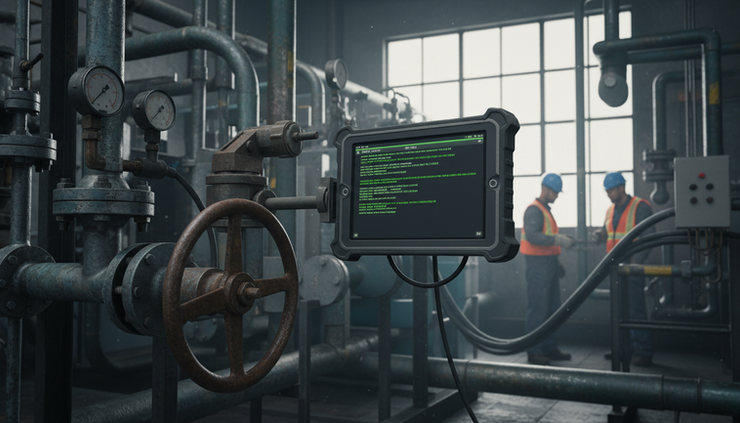
Fail-safe design assumes things will go wrong
Remote systems fail in ordinary ways. Networks drop out. Sensors drift. Gateways restart. Batteries flatten. People click the wrong control. Software services receive delayed messages. A safe design expects these problems.
Fail-safe design decides what the system should do when it cannot trust the command path or the data behind it.
This is not always the same as “turn everything off”. For some systems, stopping is safe. For others, stopping suddenly may create a worse hazard. A refrigeration system, drainage pump, traffic signal, or ventilation fan may need a carefully defined fallback state.
The right fail-safe state depends on the asset and hazard analysis. The key is to define it before failure occurs.
Common fail-safe principles include:
Reject commands based on stale data
Time out pending commands that are not confirmed
Require positive confirmation before showing success
Prevent automatic retries where repeated action may be unsafe
Maintain local control if communications are lost
Place equipment into a known state after controller restart
Make safety functions independent of the remote interface
Show degraded mode clearly to users
Command acknowledgement deserves special care. A remote system should distinguish between “command sent”, “command received”, “command accepted”, and “state changed”. These are not the same.
If an operator clicks “close valve” and the screen says “success” because a message left the server, the system may create false confidence. Real success should depend on feedback from the field device, within limits that make sense for the equipment.
Fail-safe design also includes cyber security. A remote-control system must assume that credentials may be stolen, devices may be exposed, and attackers may try to issue harmful commands. Network segmentation, secure update processes, encryption, monitoring, and account hygiene all support safety. Security and safety are connected when software can move machinery.
The user interface should slow down risky action
A good control interface is not just attractive. It helps people make the right decision under pressure.
Monitoring screens often focus on visibility. Control screens must also manage intent. The interface should make it hard to confuse similar assets, issue accidental commands, or mistake old data for current state.
Useful interface patterns include:
Clear separation between viewing and controlling
Prominent asset names and locations before command confirmation
Live status age, such as “last update 12 seconds ago”
Different confirmation steps for high-risk commands
Plain-language warnings tied to actual conditions
Disabled buttons when interlocks block action
Visible local mode, isolation, and maintenance status
No hidden command controls inside crowded screens
Confirmation prompts need care. If every minor action triggers the same warning, people learn to ignore it. Higher-risk actions should stand out because they are genuinely different.
For example, changing a non-critical reporting interval may need no extra step. Remotely restarting a machine after a fault may need a reason code, current status display, and acknowledgement that no local lockout is active. Opening a valve that affects downstream pressure may need approval or a verified sequence.
The interface should also avoid false precision. If data is delayed, estimated, or unavailable, say so. Displaying stale values as if they are live can lead to unsafe decisions.
Command access needs an engineering review, not just an app setting
Many systems begin with monitoring. Later, someone asks, “Can we add a start button?” That request can sound small. In practice, it should trigger a design review.
The review should cover the full command path:
The command
What exactly can be changed, and what are the possible unsafe outcomes?
The user
Who may request it, from where, and under which conditions?
The asset state
What must be true before the command is allowed?
The local control system
Which interlocks and safety functions enforce the safe state?
The communications path
What happens during delay, dropout, duplication, or replay?
The human workflow
How do remote and local people coordinate?
The evidence
What logs prove what happened?
The failure mode
What does the system do when part of it fails?
This review does not need to make every project slow or expensive. It should be scaled to the risk. A remote command that turns on a sign light is not the same as a command that restarts heavy machinery. The point is to avoid treating all commands as equal.
For higher-risk systems, formal methods such as hazard analysis, safety integrity assessment, and security risk assessment may be required. Standards such as IEC 61508 for functional safety and IEC 62443 for industrial cyber security are often relevant in control environments. The exact duties depend on the system, industry, and regulatory context.
What matters most is the mindset. Remote command access has to be designed as part of the control system, not bolted onto a dashboard.

A practical checklist before enabling remote commands
Before switching on remote control, work through a simple readiness check.
Command definition
Each command has a clear purpose
High-risk commands are identified
The expected result can be verified
Access control
Users have individual accounts
Permissions match role, asset, and action
Temporary access expires automatically
Shared credentials are removed
Safety controls
Critical interlocks work locally
Manual override has priority where needed
Remote commands are blocked during maintenance or isolation
Emergency stops and safety circuits do not depend on remote software
System behaviour
Stale data is clearly marked
Commands time out safely
Failed commands do not appear successful
Loss of communications has a defined response
Operational proof
Audit logs record the full command path
Logs cannot be casually edited
Operators can see why commands were refused
Procedures explain coordination between site and remote users
This checklist is not a substitute for engineering judgement, but it catches many weak points before they become incidents.
The main difference is responsibility
Remote monitoring improves awareness. Remote control changes responsibility. The system must now decide who can act, when action is safe, how local people stay protected, what happens during failure, and what record remains afterwards.
The safest designs use layers. Permissions limit who can ask. Interlocks decide whether the action is safe. Manual override protects people on site. Audit logs preserve the record. Fail-safe behaviour keeps the system predictable when things go wrong.
A remote button is never just a button. It is a command path into real equipment. Treat it with the same care as the equipment it controls.


